

Balances
An account balance represents the current value of a particular financial account.
Determine Your Available Balance
Your available balance is the total amount of money in your account that can be used for allowable expenses. Use one or more of the following screens/methods to determine your available balance.
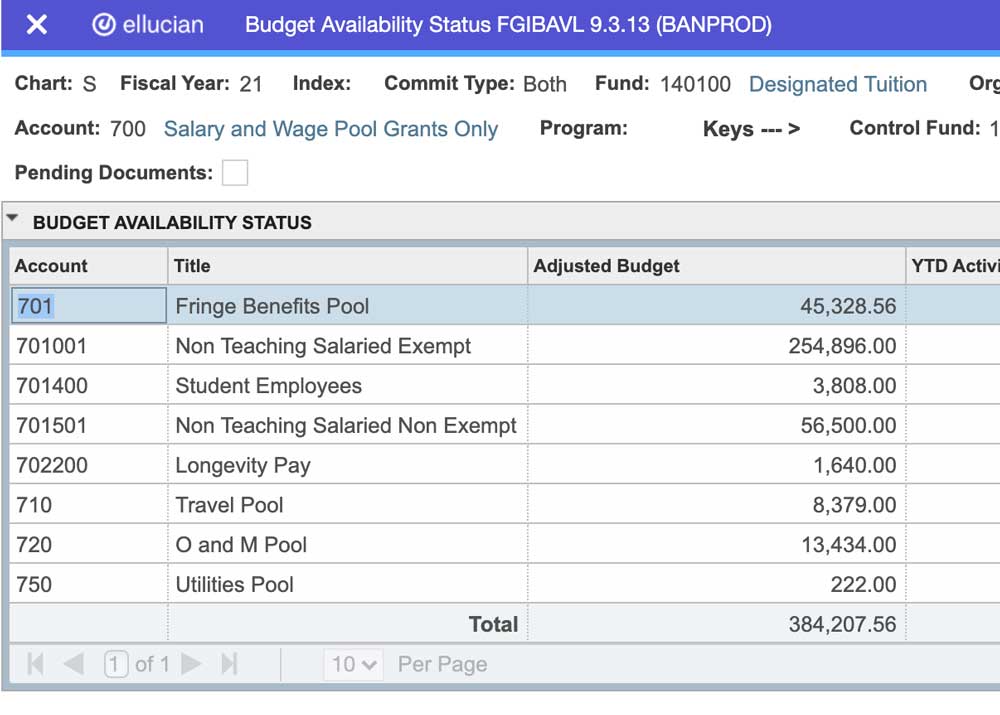
Budget Availability Status (FGIBAVL)
The Budget Availability Status screen, known as FGIBAVL or BAVL, is available in Banner. This screen enables you to view the budget availability for a selected fund, organization, and account combination.
Enter your Fund, Org, and use 700 for the Account number..
BAVL will also indicate if you have any pending transactions and include the transaction amount in the available balance total.
Refer to committed vs uncommitted budget in the FAQ section.
Banner updates in real-time, but there may be a 10-minute refresh delay.
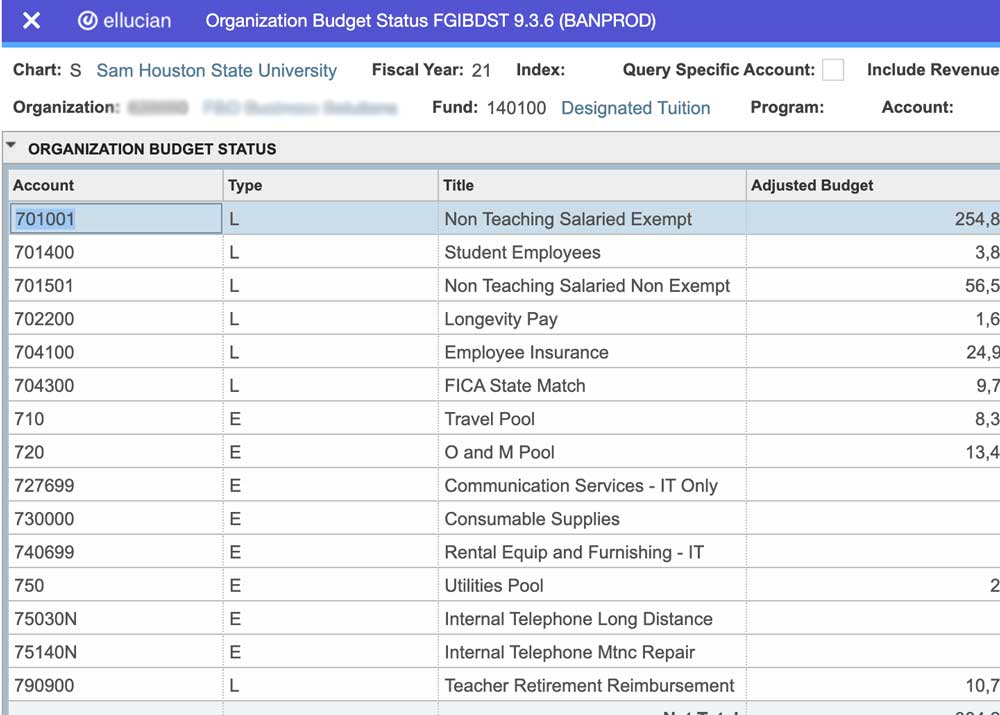
Organization Budget Status (FGIBDST)
The Organization Budget Status screen, known as FGIBDST or BDST, is available in Banner. This screen will show the selected organization's budget, actual activity, encumbrances, available balances, and revenue.
Enter a Fund and ORG.
BDST does not include any pending transactions in the available budget.
Refer to committed vs uncommitted budget in the FAQ section.
Banner updates in real-time, but there may be a 10-minute refresh delay.
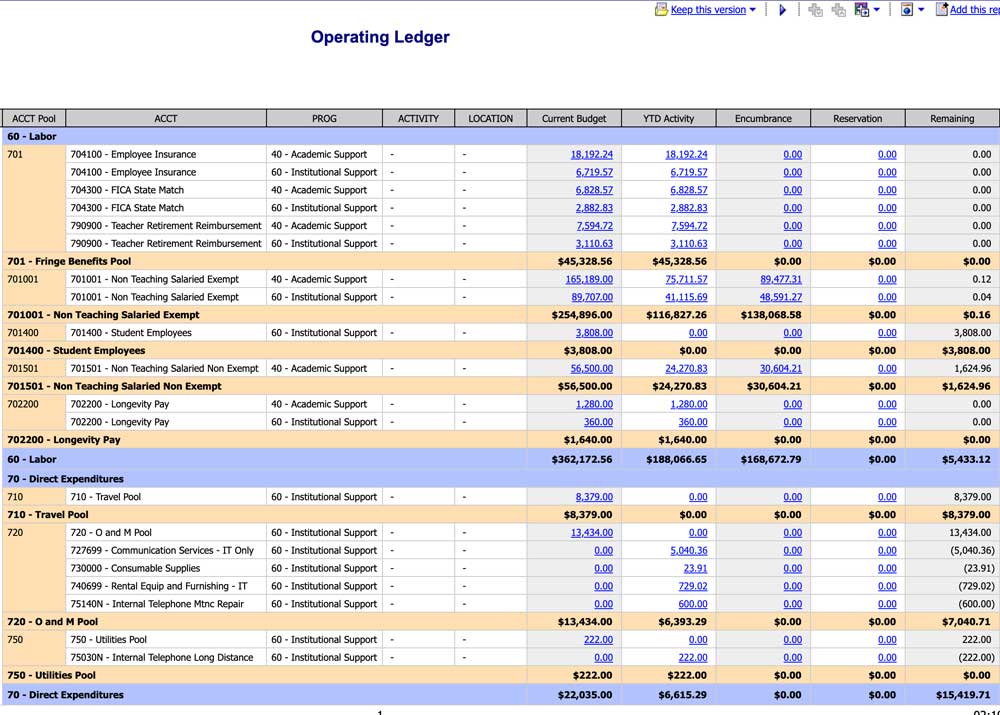
Operating Ledger
Available in COGNOS, the Operating Ledger|EOPRLED001 report will show allocated budget, transaction activity, encumbrances, and available budget. This report is BDST but in a much more user-friendly screen; however, this report is one day behind and does not update in real time. This is a great report to see your Program codes and all the transactions by Pool.
Budget Availability Ledger
Available in COGNOS, Budget Availability Ledger|FINDMR001 will show you the same information as in BAVL; however, this repost is one-day behind and does not update in real time.
Check your program code
Ensure you are using the correct program code on revenue, expenses, and budget transactions. Use the Operating Ledger in Cognos.
When in doubt, contact the Controller's office.